Datadog Incident Management
Datadog’s Incident Management was initially built as a system of record for incidents. But it evolved to focus on the real-time responder experience, prioritizing speed, clarity, and reduced stress during active incidents.
Team Composition
1 PM
7 engineers - full stack
2 product designers
Timeline and Project Context
Datadog leadership challenged us to rethink the product: We were asked to introduce some new innovative features into the product, in order to stand out from a saturated market of incident management tools. Given the top-down request, this became an immediate priority for our team.
1 quarter (3 months) to research and design: We were given a limited amount of time to introduce new investigation features for our Incident Management product and start testing it on design partners.
Started from a blank slate: As this was a request from leadership rather than a reflection of existing user feedback, we started with no leading ideas.
How do we approach the ask?
Gather everything we know, get feedback quickly
Ideation workshop: Based on the our product and engineering teams’ learnings and feedback, the other designer and I conducted an ideation workshop to generate ideas, list out all problems we’ve seen, and converge on ideas for innovation.
1-1 user interviews and concept validation: I created an interview script and partnered with a PM and engineer to conduct one-hour recorded Zoom interviews with 13 internal participants who had previously served as Incident Responders or Incident Commanders. Ten participants were asked a consistent set of questions, split between open-ended prompts to understand current workflows and behavior, and concept-driven questions to gather feedback on early designs.
Divide and conquer: The other product designer and I broke out our tasks into different sections of the experience - he would focus on the “Workstreams” idea, while I would focus on “Investigation Tools” and chat integration experiences.
Our target users
-
Manages and coordinates the incident; typically is the one to bring in relevant team members to help investigates the incident, manages communication to leadership, and authors the post-mortem. Many companies default the incident commander to being the person that declares the incident, but can be escalated to another more experienced individual for larger or more complex incidents.
-
Any team member (engineer, account management, etc) that joins to investigate or participate in incident response.
Our target users were determined based on customer calls and internal user interviews.
Conceptual design that came from a group brainstorm brought to customers for feedback, along with other user research questions.
Affinity map grouping patterns of user feedback.
A findings report I wrote for our design and product orgs to share what we’ve learned from incident responders. This report eventually became widely shared amongst the product and design teams.
Outlining a typical incident responder user journey.
Designing and building
Product principles
From the learnings we gained from user research and concept design validation sessions, we agreed on the following principles:
In stressful situations, muscle memory kicks in
This helps us strategize what tools to provide users while they’re dealing with an incident - for example, we’ll tie our incident experiences and automation into everyday tools engineers use, like Slack or Zoom. If we introduce new features requiring a learning curve, we’ll introduce them outside of an incident, when they’re not stressed out and can adapt to it in a calmer situation.
Pictures > Words
For responders giving joining responders context - or as a new responder joining an existing incident, one of the biggest pains was sharing or absorbing the context. By surfacing the right metrics or allow easy and quick ways for users to pin a graph or send key graphs to each other, we might help them save time getting up to speed.
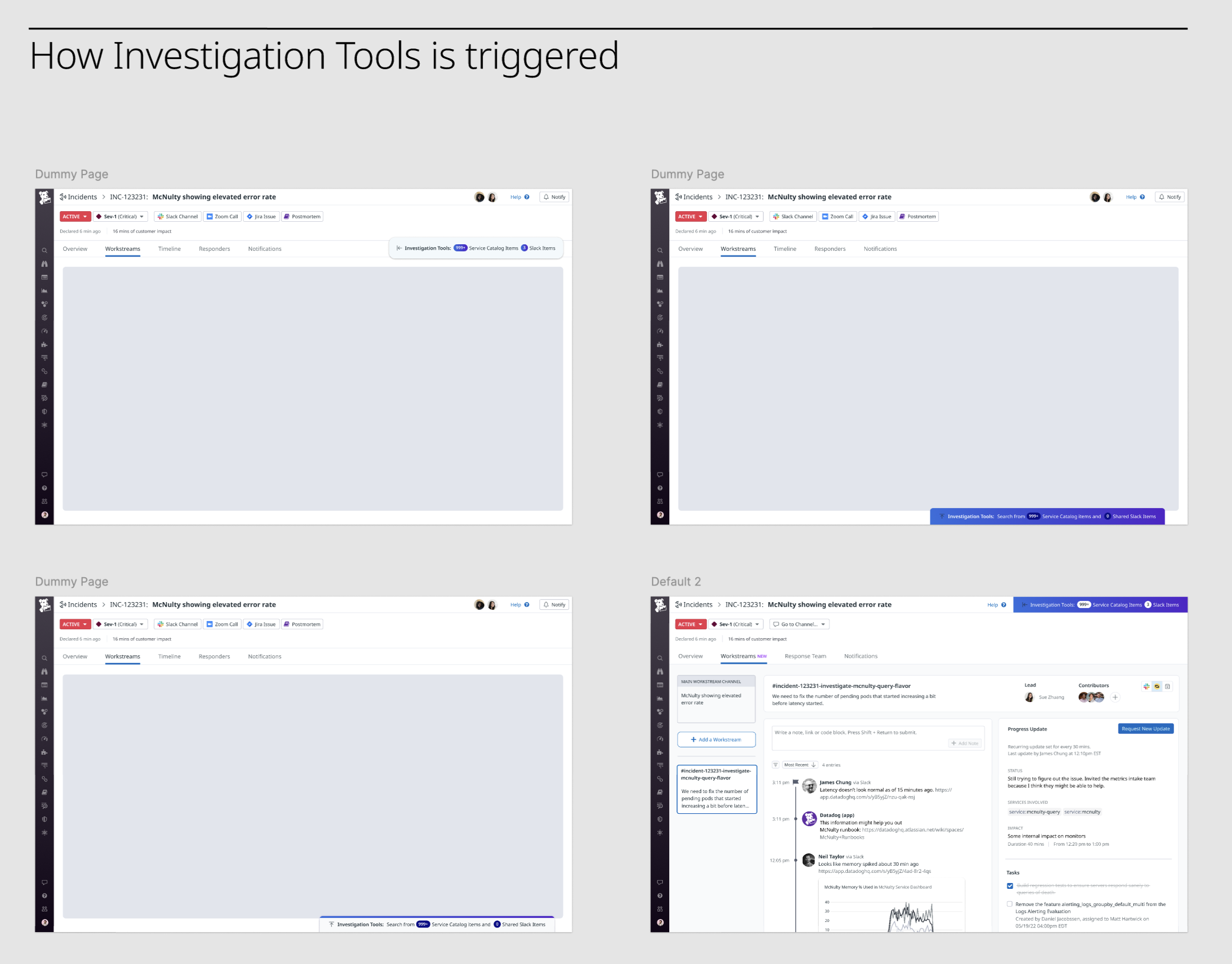
Ideating on how a user can trigger investigation tool
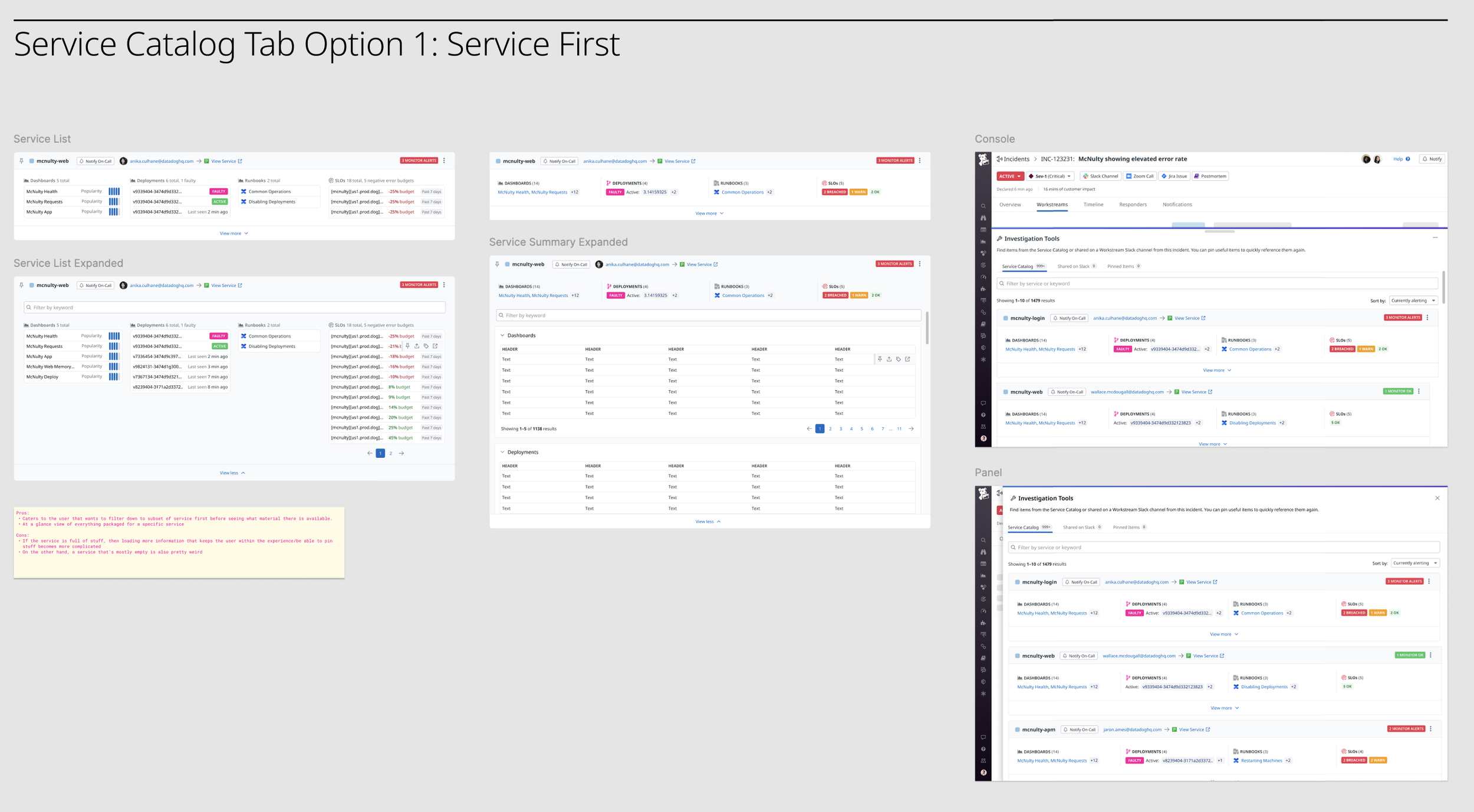
Explorations on how to orient investigation objects
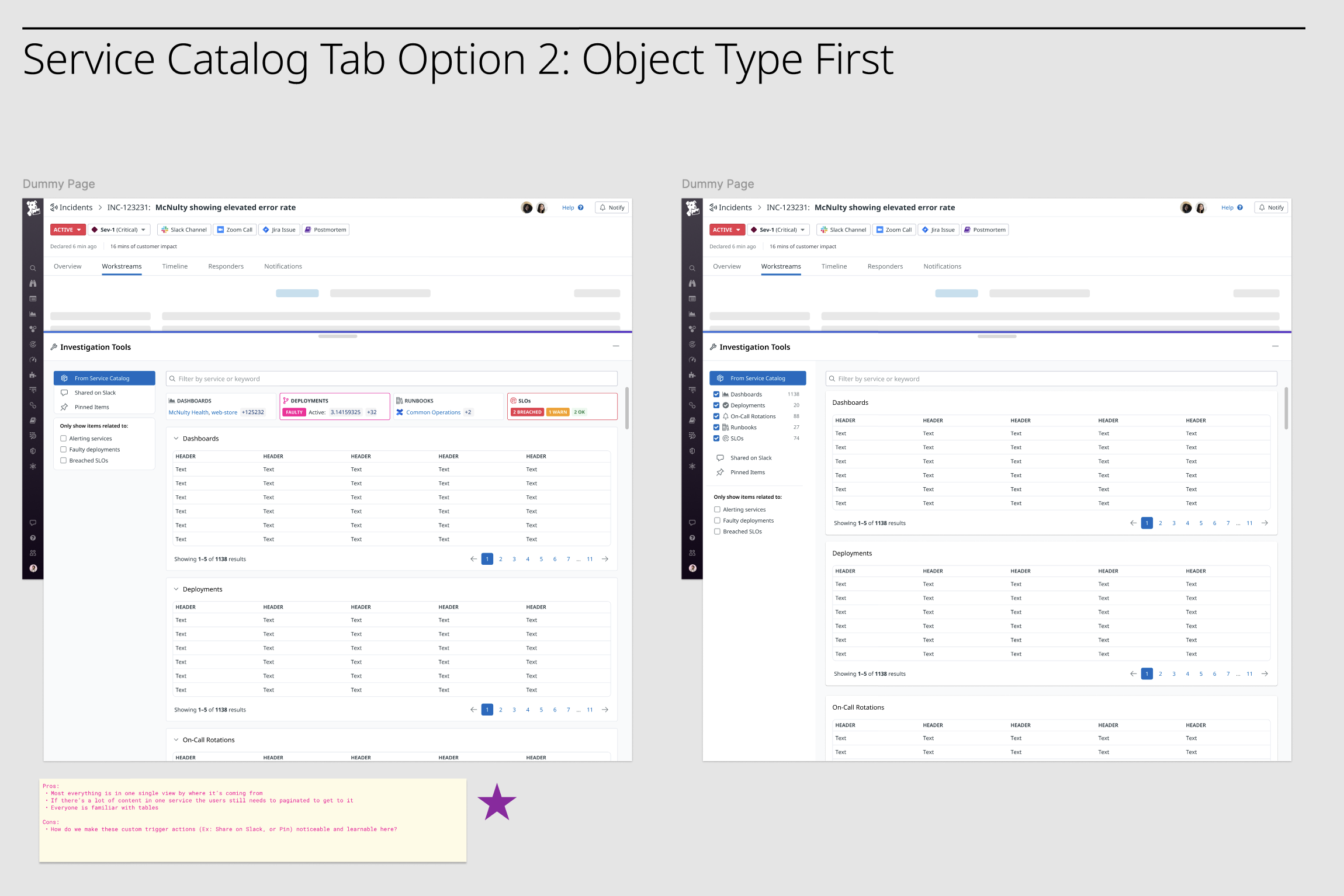
Explorations on how to orient investigation objects
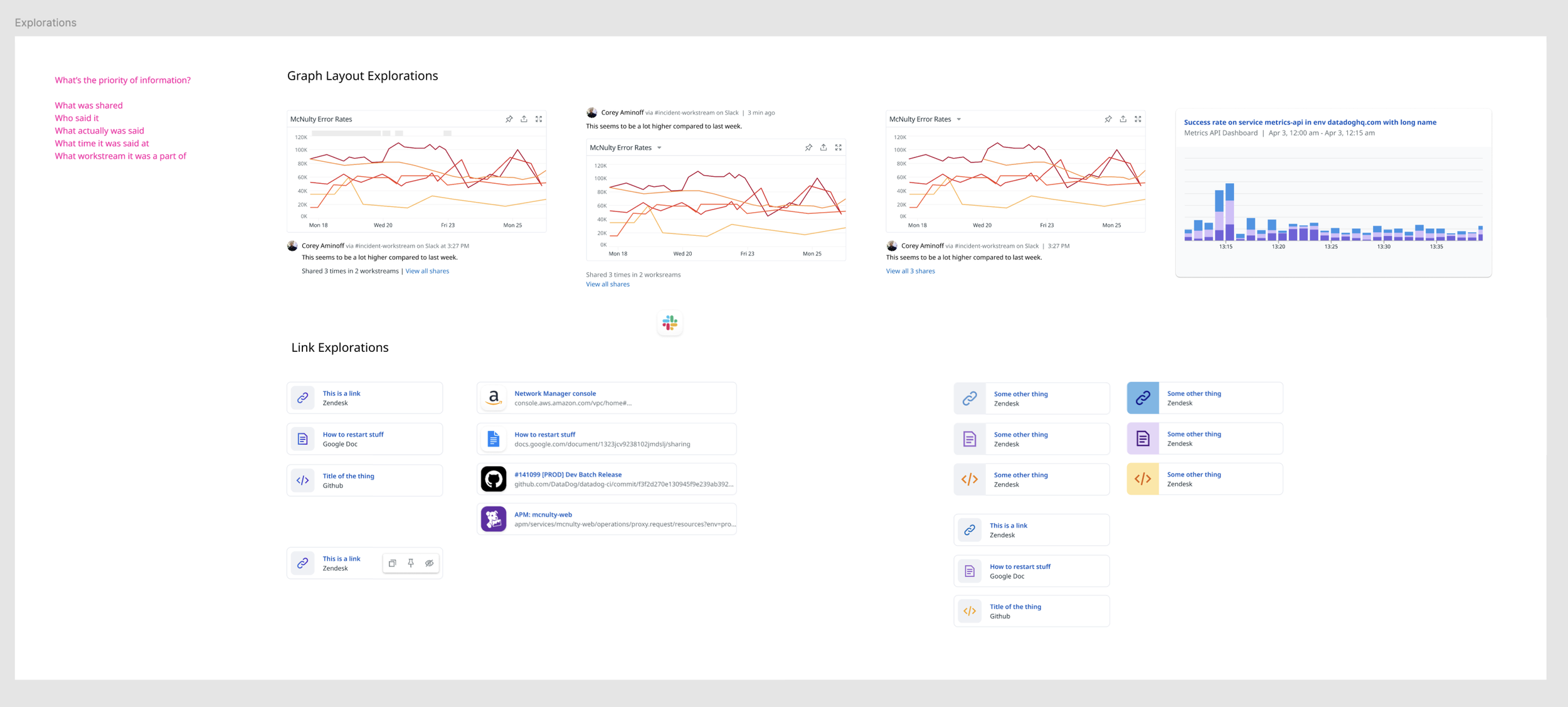
Explorations on ways to visualize pieces of exploration content
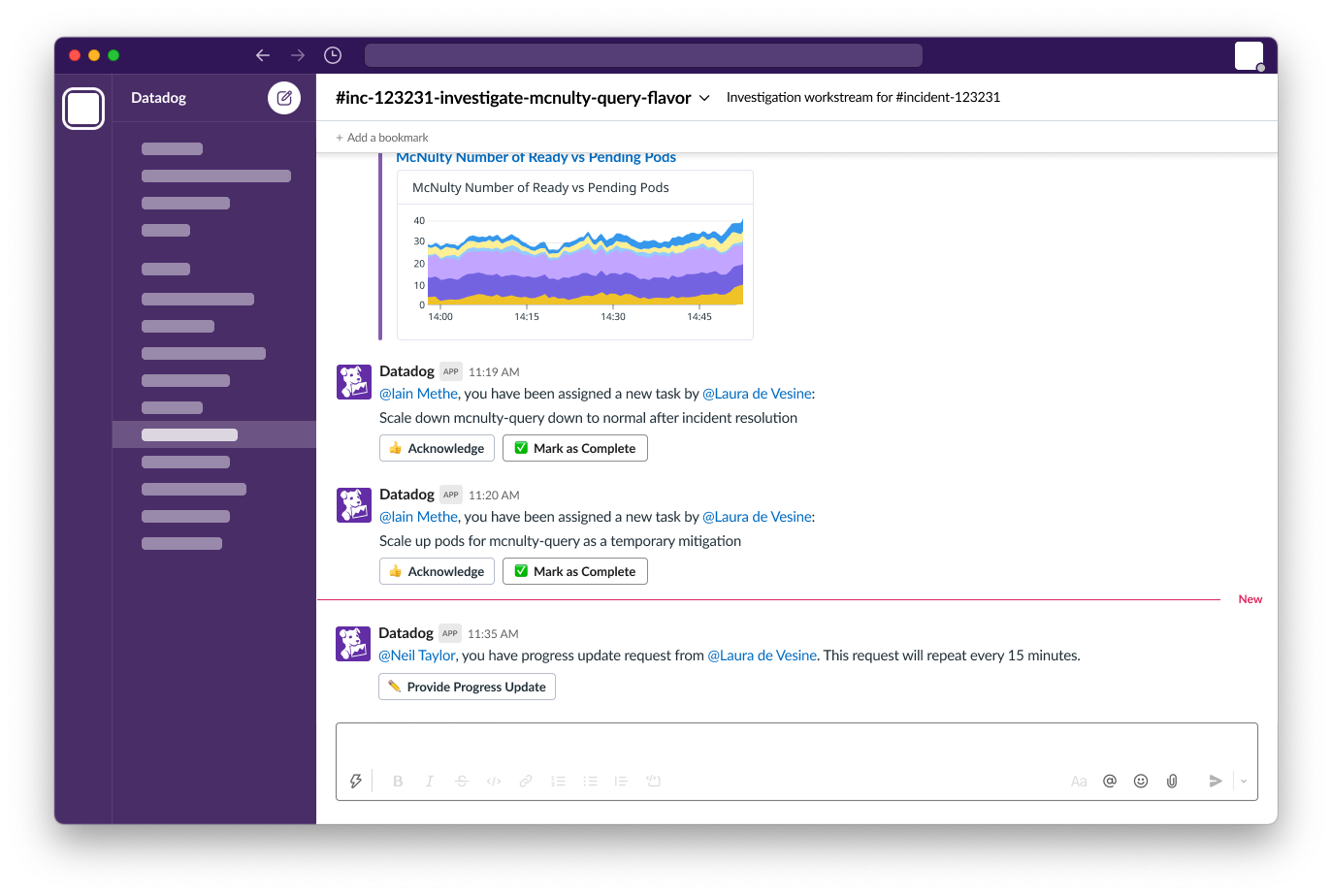
Exploring Slack-based incident actions
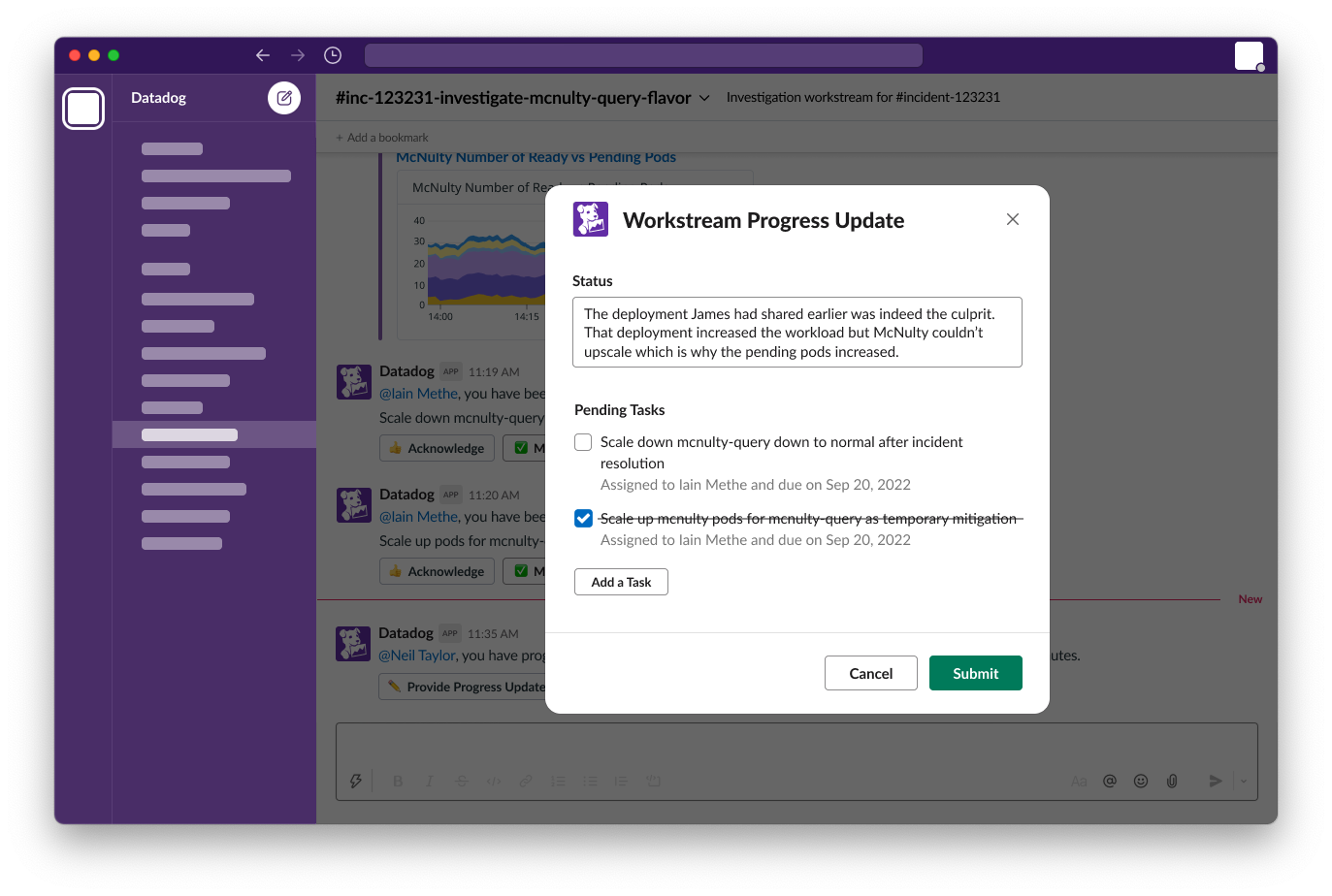
Exploring Slack-based incident progress updates that link straight back to the incident record
Getting responders the data they need, faster.
We surface relevant incident signals and let users easily page the right people without ever having to leave the page.
Responders using Slack can share information, complete tasks and provide ongoing progress updates that automatically sync with Datadog Incident Management.
Impact and Lessons Learned
What we learned
We shipped these features into Limited Preview after a quarter of work, and learned some quick lessons after its launch:
Focus on places responders naturally collaborate: Just because customers say they’re excited about new features doesn’t mean they’ll use them. In practice, adoption was highest for features that built on tools they already used, such as chat.
“Wow” features differentiate a product, but aren’t usually the reason customers buy: The new capabilities we created felt like a nice bonus, but response teams require training or workflow changes before features are used regularly.
How we responded
Re-focusing our priorities and features on responders and their everyday tools, we began to develop:
Chat integrations: Such as actions triggered from Slack, and bi-directional syncing of information from Slack to Incident Management,
Ticketing integrations: Helping response and engineering teams track longer-term fixes needed to prevent future outages.
Paging integrations: So that paging could be triggered easily from Slack and Incident Management, and based on services or apps rather than searching for the right person.
Our re-prioritiation took us in the right direction. The following 2 quarters Datadog Inc. reported that 45% of the Fortune 500 were customers as of December 2024, up from 42% in 2023, where incident management is a key module.